Welcome to Bixberry
Your device is now part of the AI network. You’re helping route AI requests for partners like Anthropic, OpenAI, Mistral, and Meta — quietly, in the background.
A few things to know

Runs in the background
Set it up once and forget it’s there — no tasks, no upkeep.

14-day launch bonus
Earn 2x for every accelerated AI request during your first 14 days.

Earnings vary
Your rate depends on your region and connection quality.

5,000+ gift cards
Get paid in Steam, Amazon, PlayStation, Visa, and more.
 Steam
Steam Amazon
 PlayStation
 Visa
VisaMac setup tips
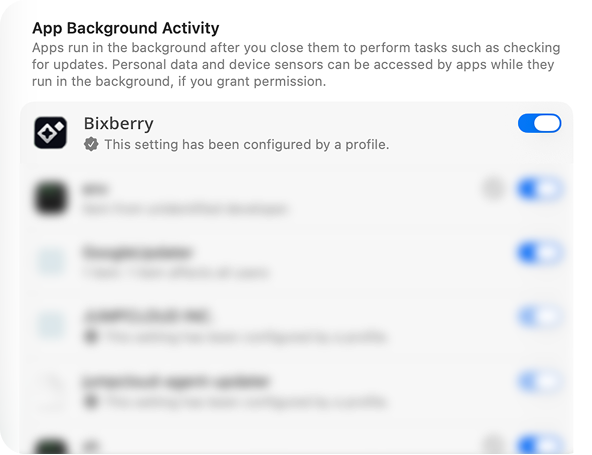
 Prevent your Mac from sleeping — System Settings → Lock Screen. Allow background activity — System Settings → General → Login Items & Extensions.
That’s it. No tasks. No catch.
Open Bixberry any time to check your earning opportunities.
Was this article helpful?
That’s Great!
Thank you for your feedback
Sorry! We couldn't be helpful
Thank you for your feedback
Feedback sent
We appreciate your effort and will try to fix the article